

Workbench Preferences
The Workbench Preferences panel can be found under the cog icon ( ) in the top right of the window frame or in the Preferences > Workbench Preferences menu under the Maptek main menu.
The Workbench Preferences panel has a page for workflow settings that looks like this:
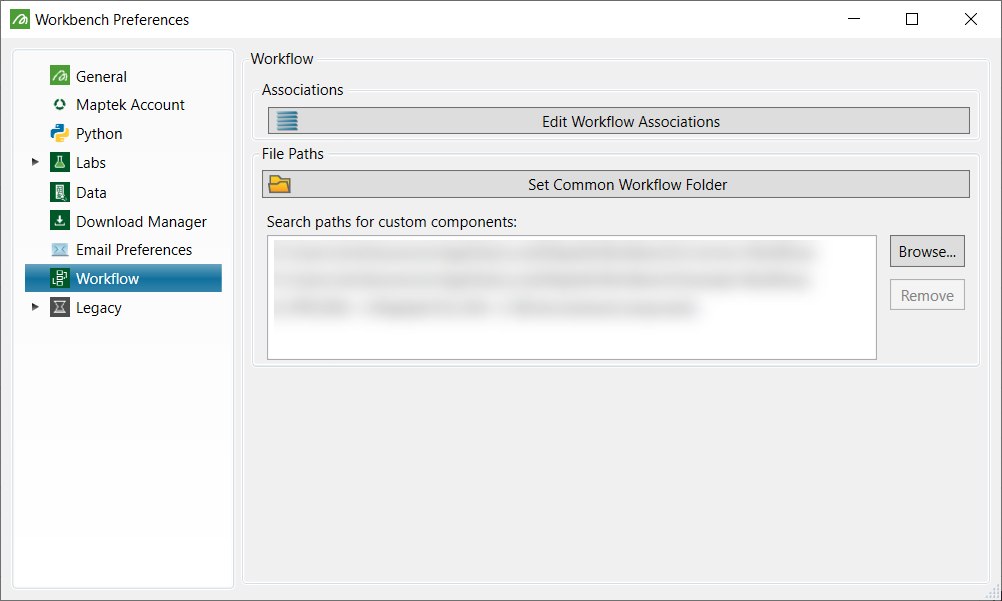
You can set the following options: Associations and File Paths.
Associations
- Edit Workflow Associations: Opens a panel that allows the data type associated with a workflow to be changed. Only data types (or their sub-types) allowed by the workflow designed can be selected or deselected.
File Paths
- Common Folder: Allows the setting of a common folder location for shared workflows. This can also be set from the Workbench Explorer.
- Component Search Paths: Lists the folder locations that are searched during Workbench startup for workflow components. The sum of the components found under these paths will appear under the Custom heading of the editor component palette.
Was this page helpful?
